
Squares for the college crowd
College football is built for groups: alumni chats, tailgate crews, dorm floors and families split between two schools. Squares fits right in. A board takes a minute to make, the link works in any phone's browser, and nobody needs to know the depth chart to play. Your aunt who went to the other school has exactly the same chance as you do.
On JaxSquares you can pick a college game from this week's schedule so the scores arrive live, or type in any matchup, from the season opener to your old high school's homecoming game.
Scores run wilder on Saturdays
College games tend to be higher scoring than pro games, with more two-point tries, missed kicks and wild fourth quarters. In squares that means the last digits spread out more, so the "bad" numbers aren't quite as bad and an unlikely square can hit when you least expect it.
It's also why every score is such a fun format for college games. Each time the scoreboard changes, the square matching the new score wins, so a back-and-forth shootout can light up a dozen squares before the final whistle. Prefer the classic? Every quarter gives you four winners, and overtime counts toward the final.
Game days that work well
- Rivalry week: the one game the whole family is watching, whichever side they're on.
- Conference championship weekend: a board for each game, for the group that watches all of them.
- Bowl season: a long run of games over the holidays, perfect for a board a day.
- The playoff: bigger games, bigger couches, and a board everyone can join from wherever they are.
- Your tailgate: a 5×5 board fills up fast with a small crew and still covers every score.
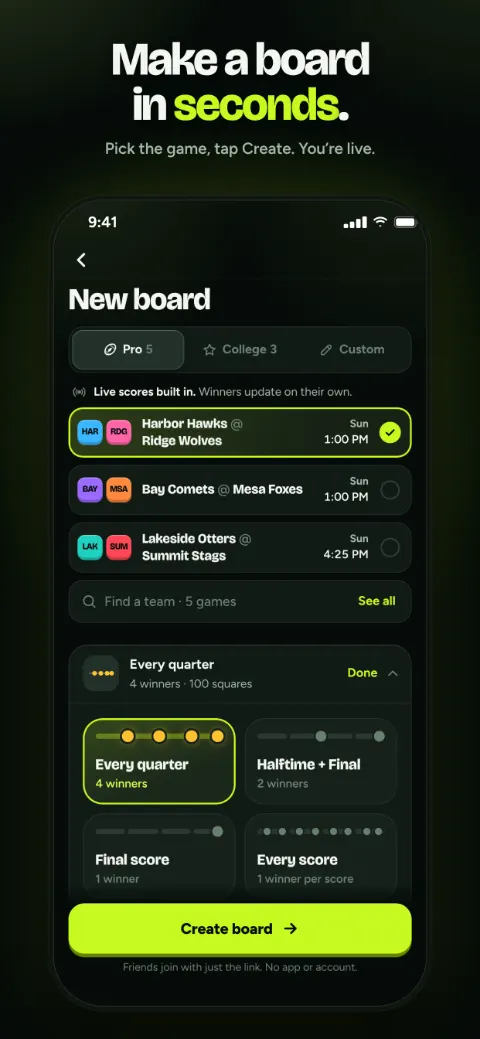
Set up a board before the tailgate
Make the board
Pick the game and the format. Every quarter is the classic; halftime and final suits a crowd that'll be busy at the grill in the second quarter.
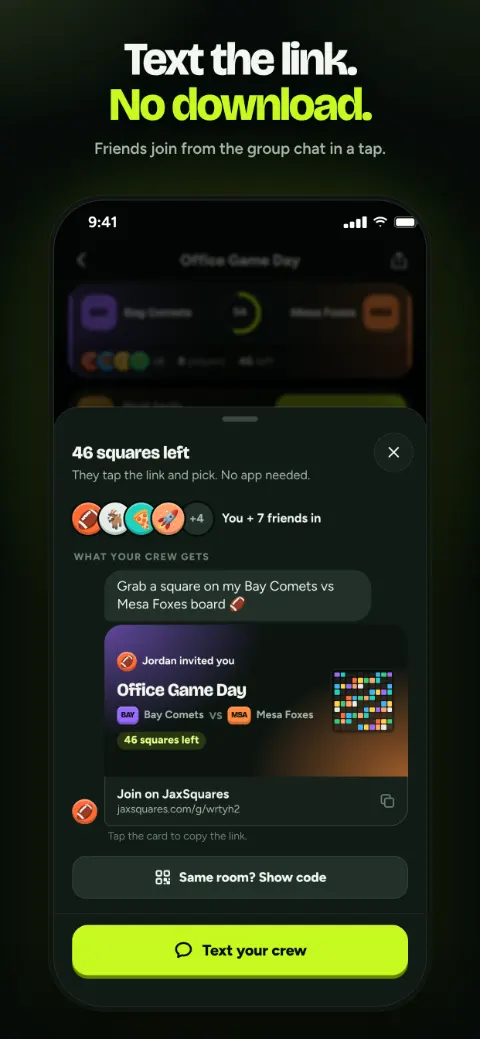
Share it
Text the link or show the QR code in the parking lot. People join with a name, a color and an emoji.
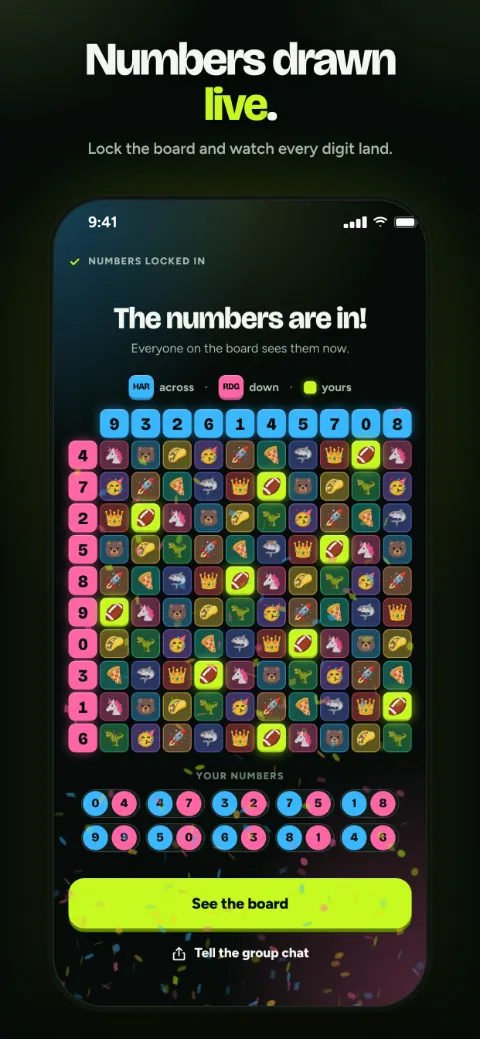
Draw the numbers
Lock the board when it's full, before kickoff, and the digits land on every phone at once.
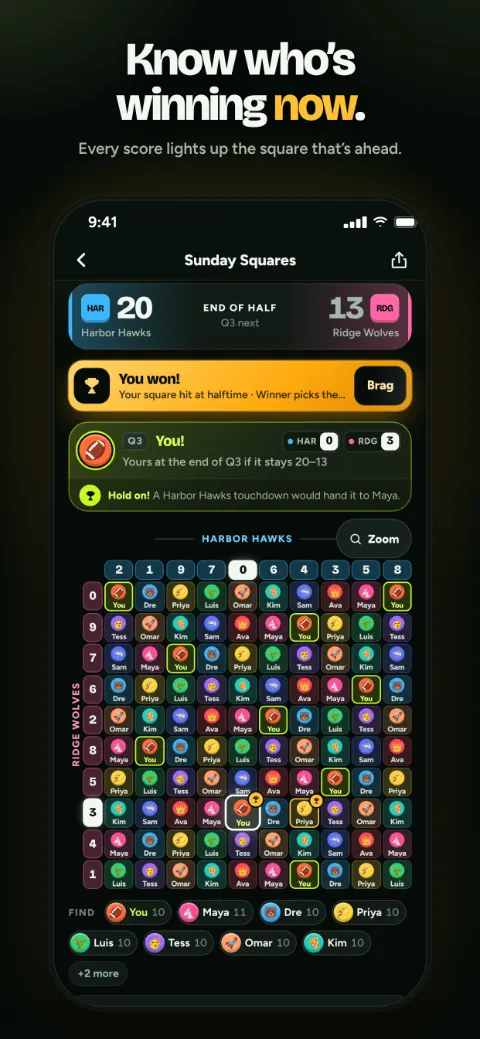
Follow it live
The winning square glows as the score changes and lights up when each period ends, even for the friend watching from another state.
New to squares? The how-to-play guide covers the rules, and there are free printable templates if you want a paper board as well.
Questions people ask
Can I link a board to a college game?
Yes. Pick a college game from this week's schedule when you make a board and the scores fill in live. Any matchup that isn't listed can be typed in, and the host enters the scores.
What's the best board size for a tailgate?
For a small group, a 5×5 board: 25 squares, with two numbers in each row and column so every score is still covered. For a bigger crowd, the classic 10×10.
Does overtime count in college football squares?
Yes. The final winner is decided by the score when the game ends, however many overtimes it takes.
Can people join from the stadium?
Yes, as long as they have a signal. The board is a web page, so there's nothing to install, and it updates on its own.
Do players need an account?
No. They open the link, pick a name and tap their squares. Signing in is optional and only useful if you want your boards on more than one device.
Get the tailgate board going
Make the board, text the link to the group, and draw the numbers before kickoff. Free to set up, no app needed.
Free to set up and invite. Players never need an app or an account.